Project
SimplySmart Home is a smart home mobile app. User controls the smart home hardwares through the mobile app.
My design helps improve users’ first impression of the product. Enhanced feature experience.
I have collaborated remotely with product manager, software & hardware engineers and on-site customer support.
SimplySmart Home
Project Type
Mobile app features UIUX Redesign, Interaction Design
Role
UX, UI, Interaction Design
Time
4 weeks
Tool
Sketch, Keynote, Zeplin, Illustrator, AfterEffects, Hand Drawing
Process/ Methods Used
1. Research
• Competitor Research
• User Interview
• Customer Service Feedback
• Empathy Map
2. Define
• User Pain Point
• User Need
• Assumption
• Scenarios
3. Design
• Information Architecture
• Sketching
• Lo-Fi Wire-framing
• Rapid Prototyping Test
• Hi-Fi Mockup
4. Deliver
• Design Doc
• Follow Up
• Future Considerations
Stage1. Research
Who is Our Target User?
Age 25-40, young, model single person or family/with, without kids, pets.
Rent whole house, own house.
Busy people who lives in/close to the city, often travel away from home
User Interviews
I began with a qualitative investigation, doing unstructured interviews to understand the context and validate the assumptions I made about the our target users. The interview people included with internal experts, customer support, friends who are in the target user group, starbucks random people.
Unstructured interviews were actually more than helpful for me during the exploration stage since I get to know interviewers' motivations, opinions, and perceptions about the automation/smart home device preference and experience.
I designed questions on these topics:
Motivation, preference, pain points and demands
Home/house/living type.
The smart home products using and reason.
Problems happened on current product.
And some personal information.
After completing the interview, I found major pain points and needs from those user group.

Family user
Mike, 40 years old, married, sales, SF Bay Area. Living with wife who is a housewife, full time takes care of a 3 years old baby and a 5 years kid. He has a busy schedule and few time off. When Mike is not at home, he would like to see and say hello to his baby. He hopes that every time he opens the App, he can see the video quickly and minimize the operation.
Recently, Mike received a prompt that a firmware upgrade is needed. During the upgrade process, the system informed him of many complex parameters and data changes, but he did not understand. At the end, the firmware upgrade automatically exited without telling whether the upgrade was successful, which made him worry about whether the upgrade was completed.
Preference
Technology
Phone
Finance
Schedule
Travelling
Life
Hand-making, tools
Hiking
Vehicle
Kids & family

Single user
Amenda, 28 years old, single, sw engineer, Seattle. Living with 2 roommates in a whole house. She has a little dog. Amenda really love to follow high-tech trend, pay much attention on the new product release. She enjoy the modern and young life with friends. Amenda love travelling when she has time. During the holiday season, 3 girls who live together need a home security camera and automation switch to take care of their house. Amenda would like to have a camera at her room also. From the finance issue, she select a middle cost product from Switchmate Home. Then during the weekday at office, she is able to check her little dog through the video camera.
Amenda doesn't satisfied with the product application well, compared with other high cost home automation product. She pursues extreme simplicity and design on product. There are some inconsistent designs that don't even believe this product at first. Amenda would like to see phases update in the future.
Preference
Technology
Phone
Finance
Schedule
Travelling
Life
Pets
Travelling
Social
Writing
Music
Competitor Research
Google Home

Nest

Simplisafe

SimplySmart Home Original Design


Empathy Map
An empathy map is a collaborative visualization used to articulate what we know about a particular type of user. It externalizes knowledge about users in order to 1) create a shared understanding of user needs, and 2) aid in decision making.
Which product has the most cost-effective?
What products are you using for your home?
Are they work well?
What are users saying?
Truly security?
What my little dog doing right now?
Remote well?
What are users thinking?
User
How much you pay for every month?
It's well-known, but works just so so
I never heard about this brand
I need an automation home product to protect my house
Pretend I am at home to turn on the light
Searching online for products
Checking messages all the time
Worry about home security
Fear
What are users doing?
Forgot if turn off the cooking.
Keep working
Make a phone call to roommates to check pet
Sharing the products are useful
What are users feeling?
Unsure which products work well
Installation and use easily
Bad recommend
Competitor
• Elegant/Modern design, simple, clean
• Similar user group with SimplySmart Home
• Obvious operation
• Willing to purchase other products
SimplySmart Home
• Visual design inconsistent
• Less user friendly interactive control
• Unwilling to purchase other products


Stage2. Define
Pain Points
• Firmware update navigation, notification message
• Some pages are not consistent, especially for visual, people suspect the product and branding in the future
• Interactive with much clicks
• Product and wifi connection
Goals
• Ease to use, install
• Low cost
• Basic function work the best
• Quick and detail customer service
• Protect home, family
Solving User Problems
Through user learning from interview to make a conclusion with their pain points and needs, I decided to list all solution may works well for each points. And from the discussion with team, compare with the bandwidth and timeline, finally we made decision and select the main focus solution under each feature.
Firmware Updating
Navigation bar
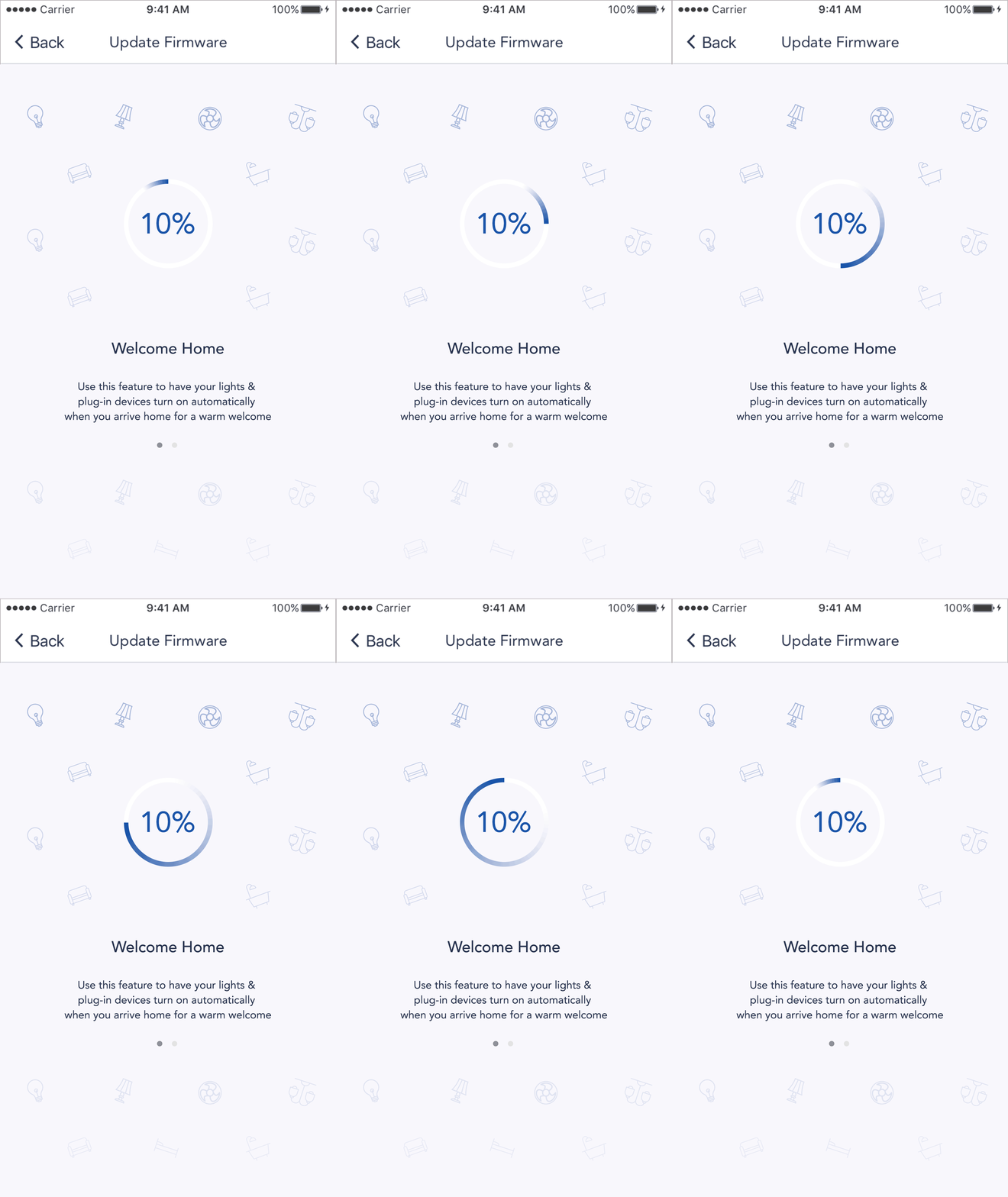
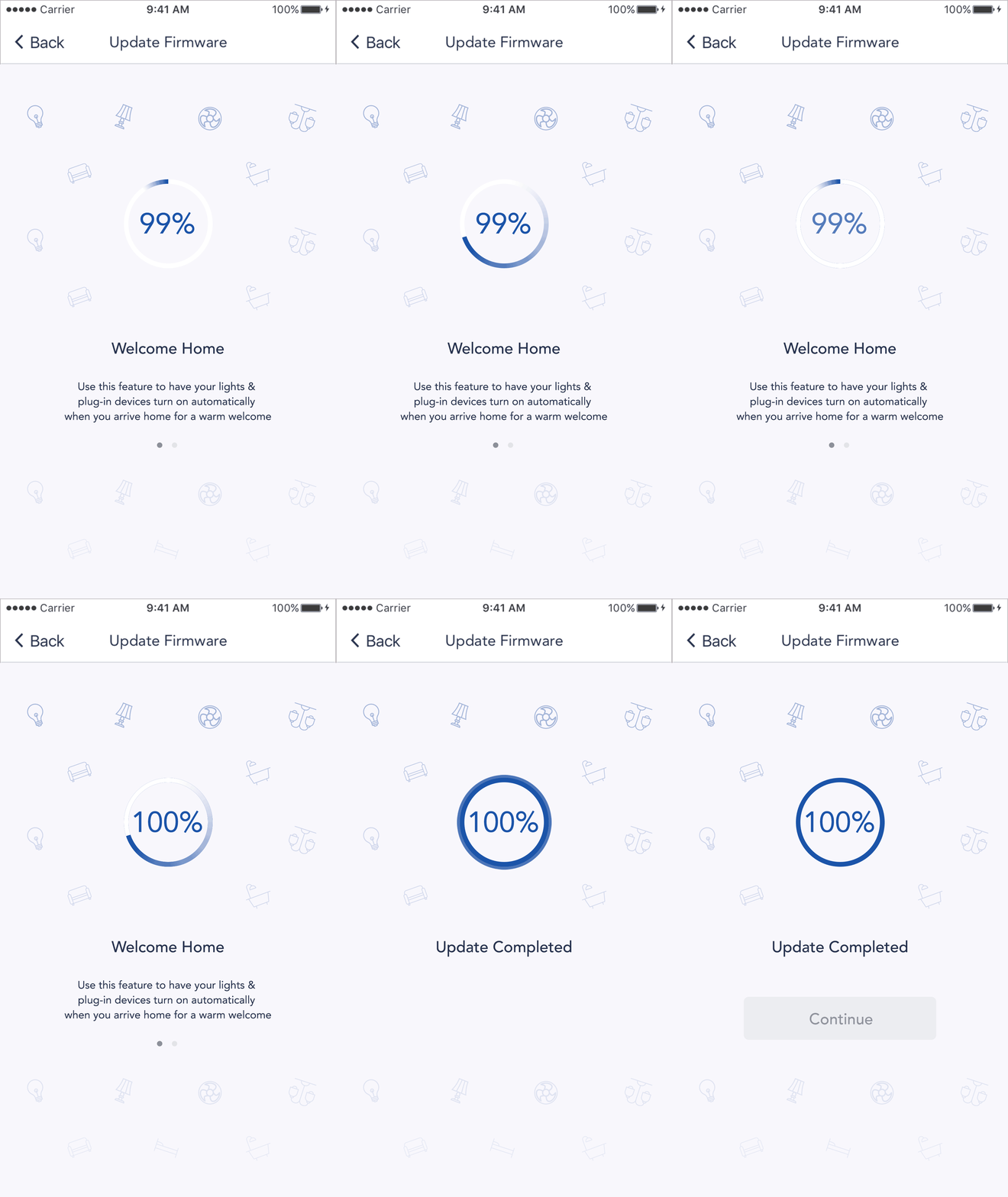
Percentage display
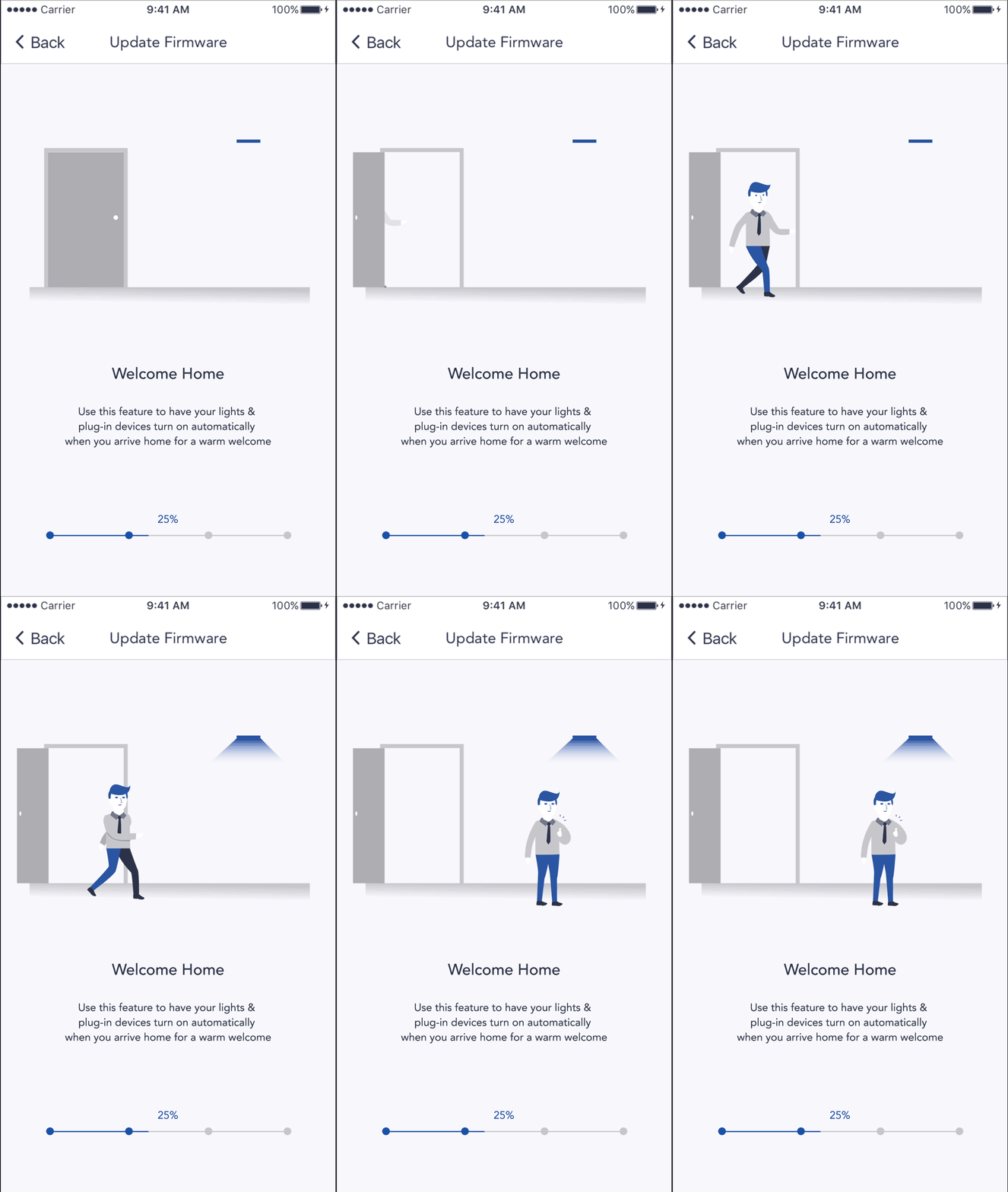
Motion Graphic
Animation
Detail data
Interactive button to next update
Wifi check
Update data checklist
Update Notification
Camera System Flow
Consistent branding
Remove unnecessary steps
Reduce text reading
Other features follow up with new design
disconnection notification
error message
low battery notice
Log in System
Consistent branding
Logo
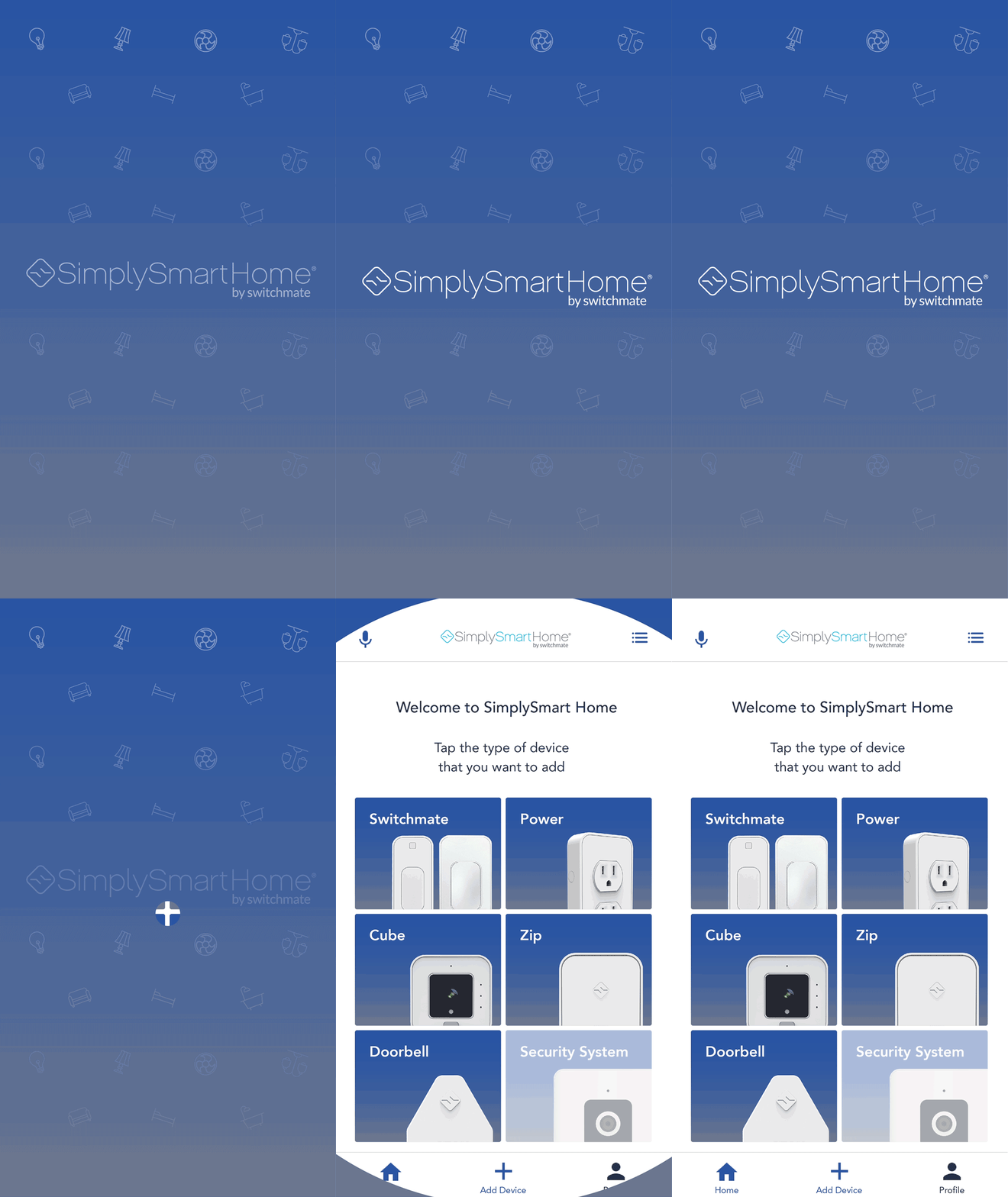
Interactive landing welcome page
Log in later
Family account
Switch account
customer support
Assumption
Due to time constraints, I plan to add and reduce some of the existing visual styles of the product. In line with the visual inclination of young people, I hope to add motion graphic, interaction design, and illustration elements. Make the fastest visual changes with the least modification.
Stage3. Design
Information Architecture
Before start with any sketching, I built information architecture, which help me understanding how the features work flow and make sure content findable without any missing. This also helps the team to understand the different trends of each process as a whole during the presentation.


Sketching, Wire-framing
I started with draft hand-drawing sketching, and went into the lo-fi wire-framing on white board to show, describe and discuss with product manager and engineer. After iterated the design solution which fit for goals and schedule, I created clickable rapid prototyping through Invision, and had a testing with internal people, some of them are not familiar with this project.


Prototyping Test
How I made design decision? When I have problems on design decision, I would like to run the prototyping test with real or internal people. It's the fastest way to understand and learn from user how they interactive with different options. At beginning, I described what's this project, what's my goal, and what does user need do to user. Then observe user how they interactive with different options without any instruction and guide. If user has some questions during the process, I list down. Which one user is able to the path quickly without less questions, the one has a vote.
Here is the example I had run the test with internal user. Firmware updating feature.
Group1
• Navigation bar
• Content
• Persantage
• Loop Animation
Group2
• Navigation bar
• Persantage
Group3
• Navigation bar
• Content
• Persantage
Group4
• Loop Animation
• Persantage
Group5
• Loop Animation
• Navigation bar

Stage4. Deliver
HI-FI Mockup
Before the final presentation with whole team, I check with each one to make sure design detail and timeline again.
Previous Version.
Redesign Landing Page


Firmware Updating
Login System Redesign


Login Switchmate

Camera System Visual/Flow Modification


Thanks for your time to read my design and thinking.